Queensland Digital Inclusion Festival — Celebrating inclusive communication & digital access for all

Learn more → Learn more →

Rights in practice

Module 1: Rights, Dignity and Participation

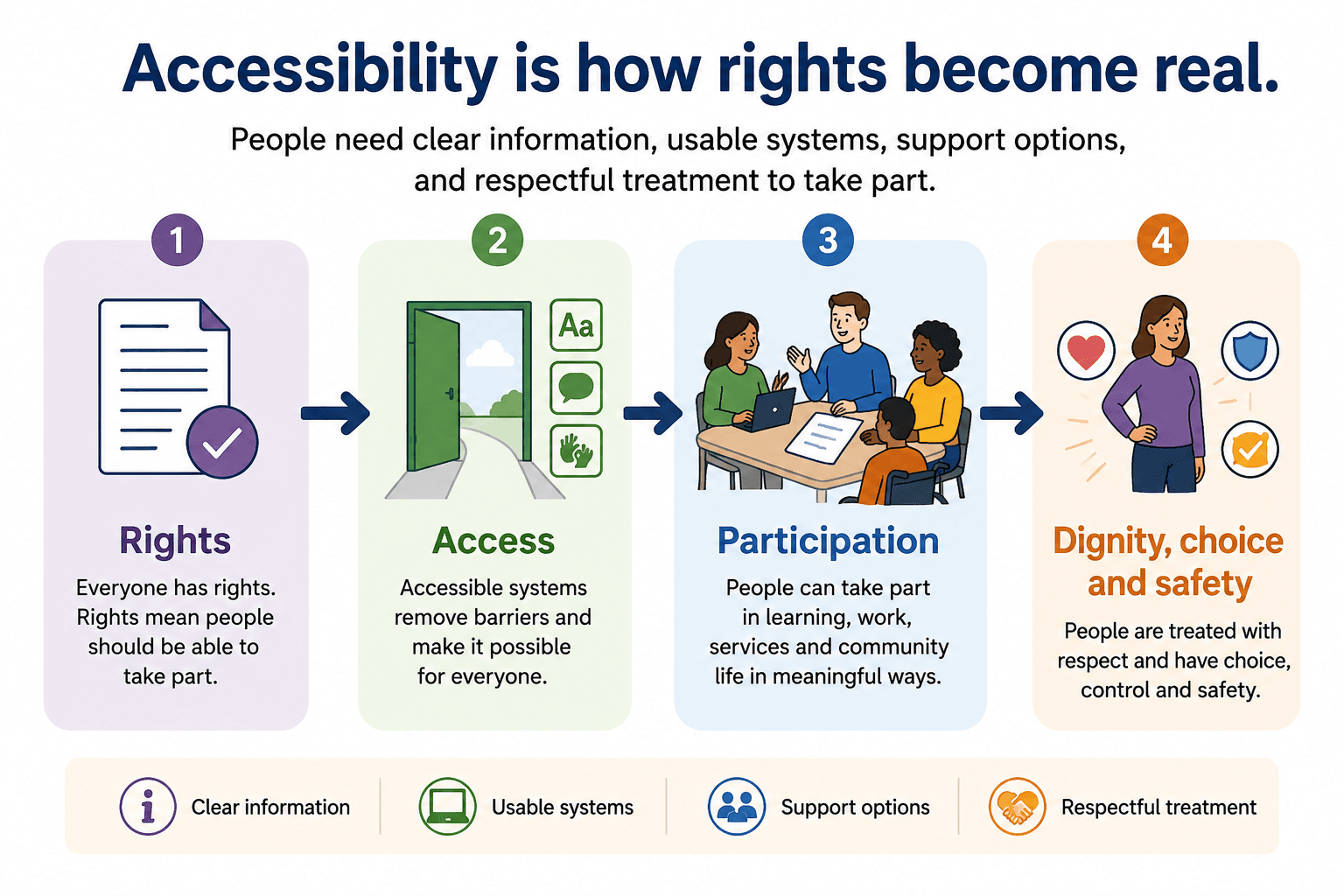
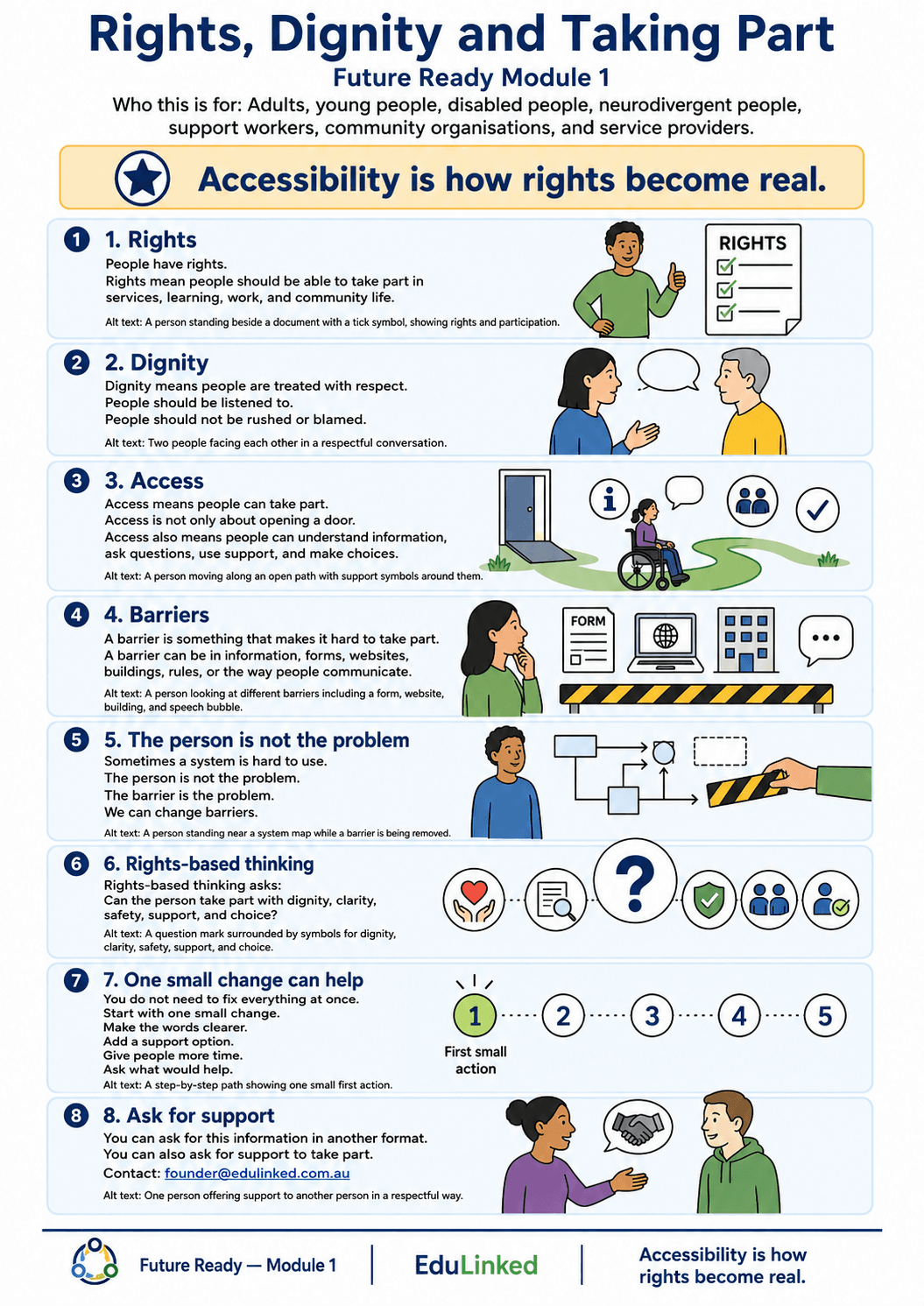
Accessibility is how rights become real in everyday life. This module explains how rights, dignity, participation and accessibility connect, and how barriers in systems, information, spaces and processes can stop people from taking part.

Rights and accessibility

Accessibility is not only about having a policy, a checklist, or a legal rule.

Accessibility is about whether a person can actually take part.

A person may have a right to access a service, event, workplace, or learning opportunity. But that right does not work in real life if the person cannot understand the information, use the form, enter the space, ask for support, follow the process, communicate their needs, or feel safe and respected while taking part.

A rights-based approach asks:

What needs to change so this person can participate with dignity, clarity, safety and choice?

This means looking at the system, not blaming the person.

What dignity looks like

Dignity means people are treated as capable, valuable and fully human.

In accessibility work, dignity is practical. It means people can ask questions without shame, ask for another format without being treated as difficult, take more time without being rushed, use communication supports, make choices about how they participate, and be listened to when something is not working.

Dignity is damaged when systems make people feel like the problem.

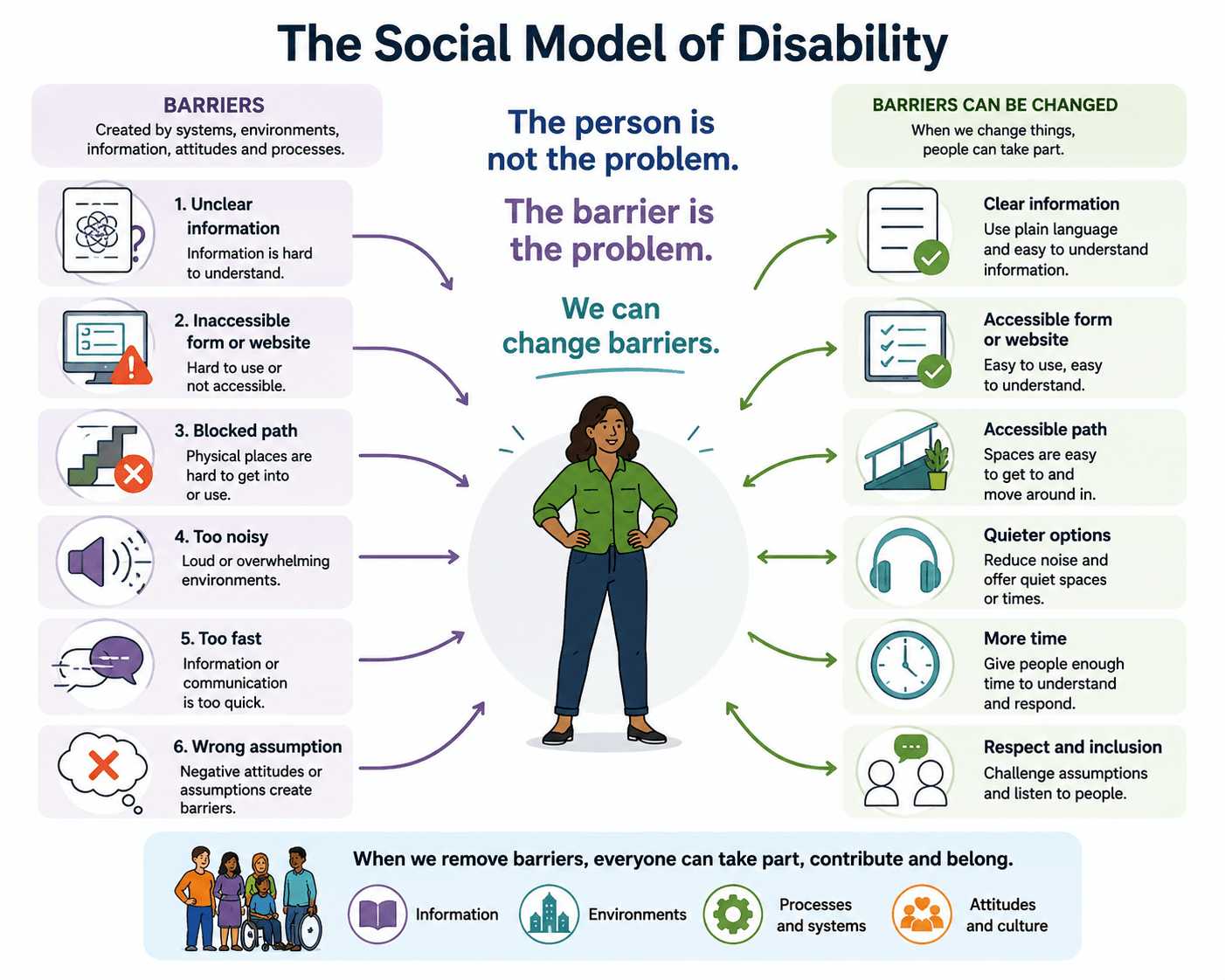
A rights-based approach recognises that the barrier is the problem, not the person.

Common barriers to participation

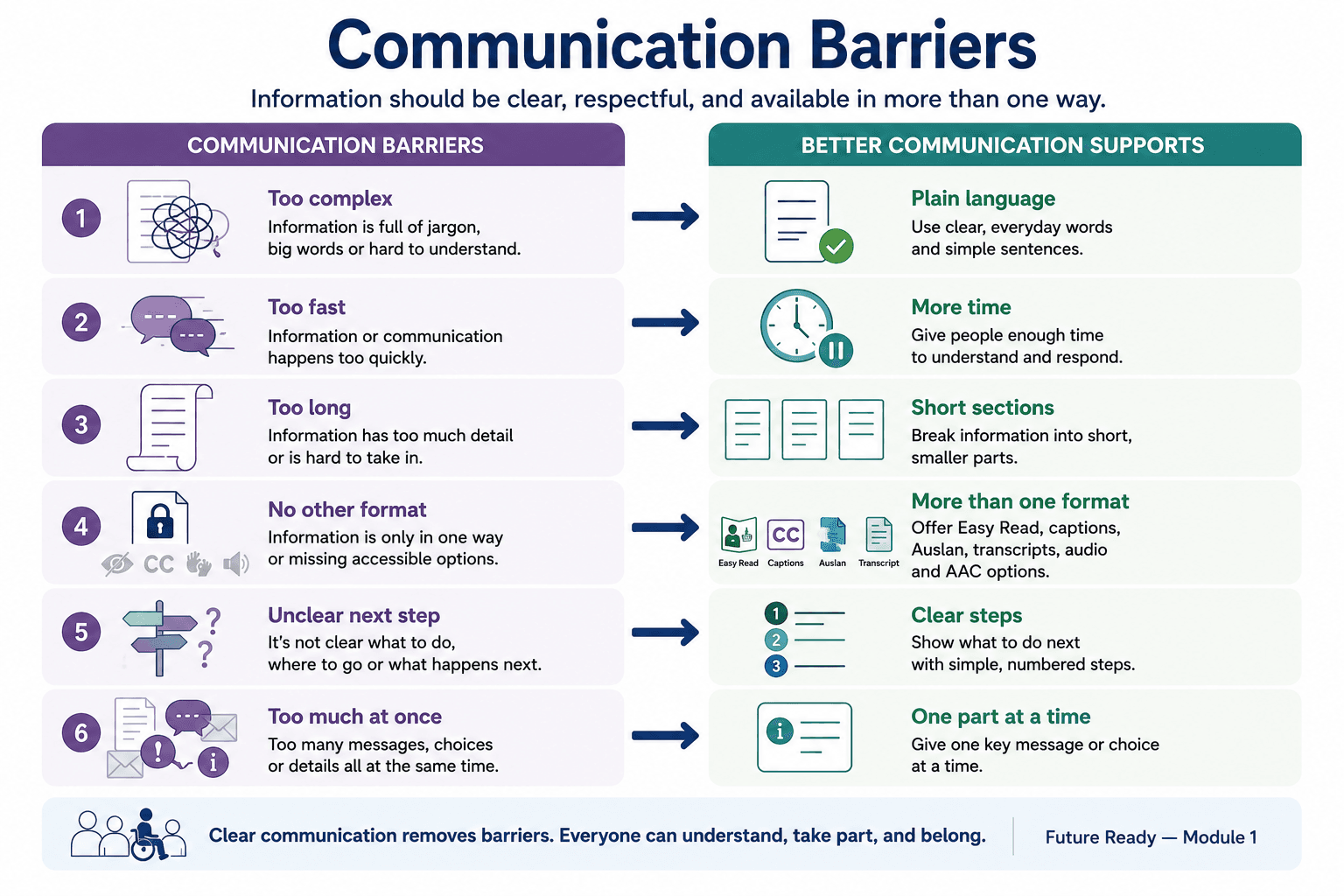
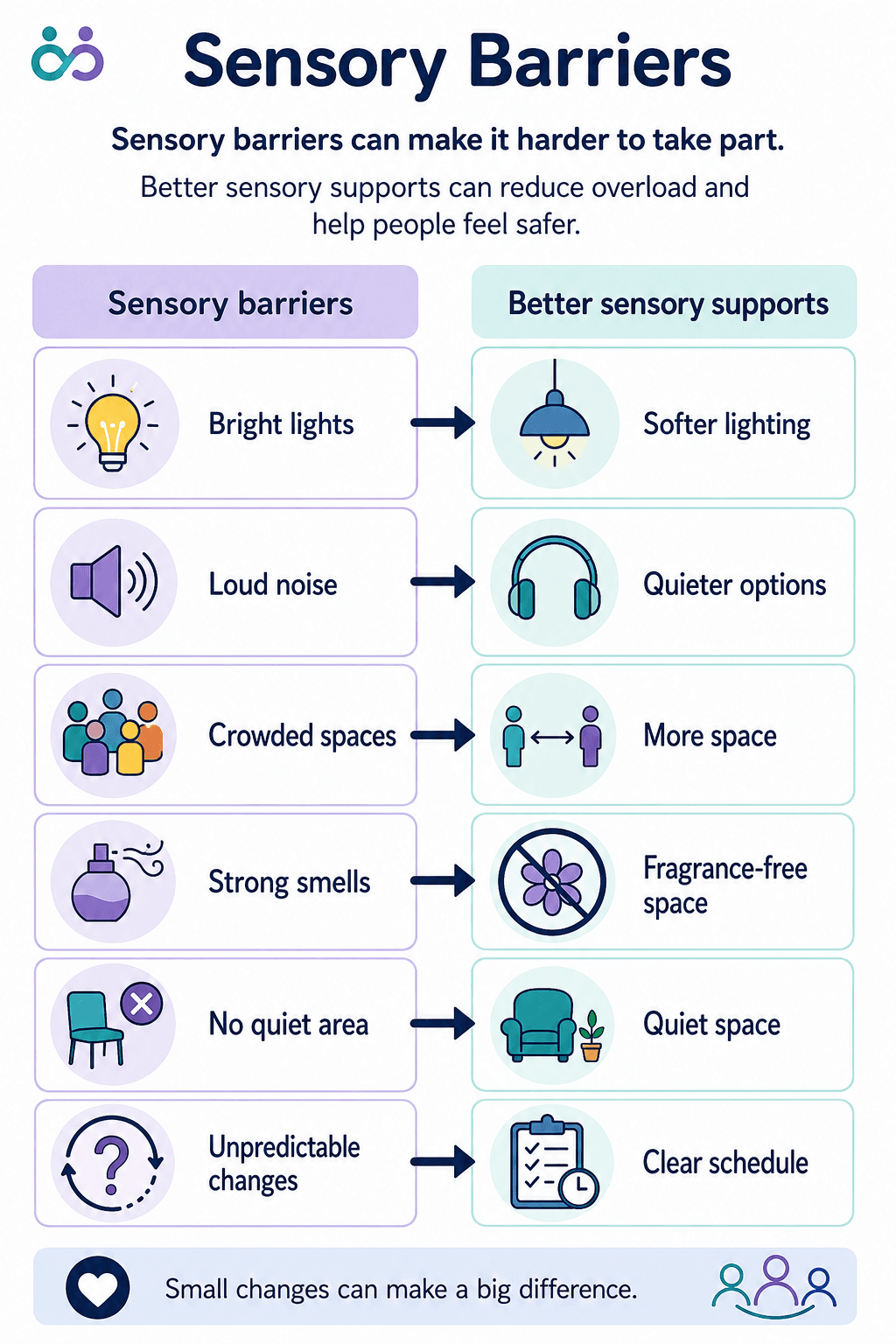
A barrier is anything that makes it harder for someone to take part. Barriers can happen in information, spaces, technology, rules, attitudes, communication and relationships.

Digital barriers

Forms, websites, files, videos, emails or online systems may be hard to navigate, read, complete or understand.

Examples include image-only PDFs, missing alt text, confusing forms, poor headings, or videos without captions or transcripts.

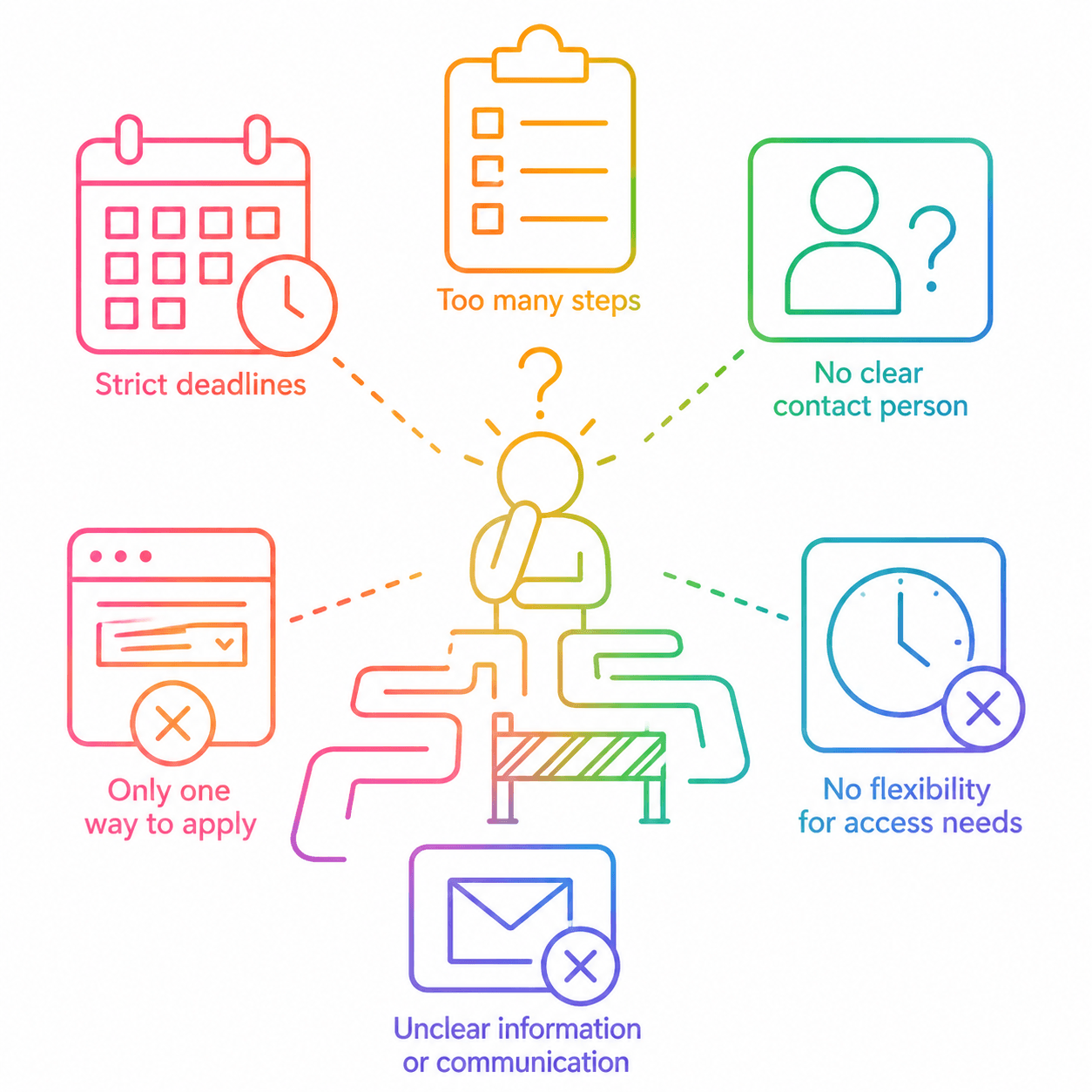
Procedural barriers

Rules, timeframes, processes or service routines may make participation harder than it needs to be.

Examples include strict deadlines, too many steps, no clear contact person, only one way to apply, or no flexibility for access needs.

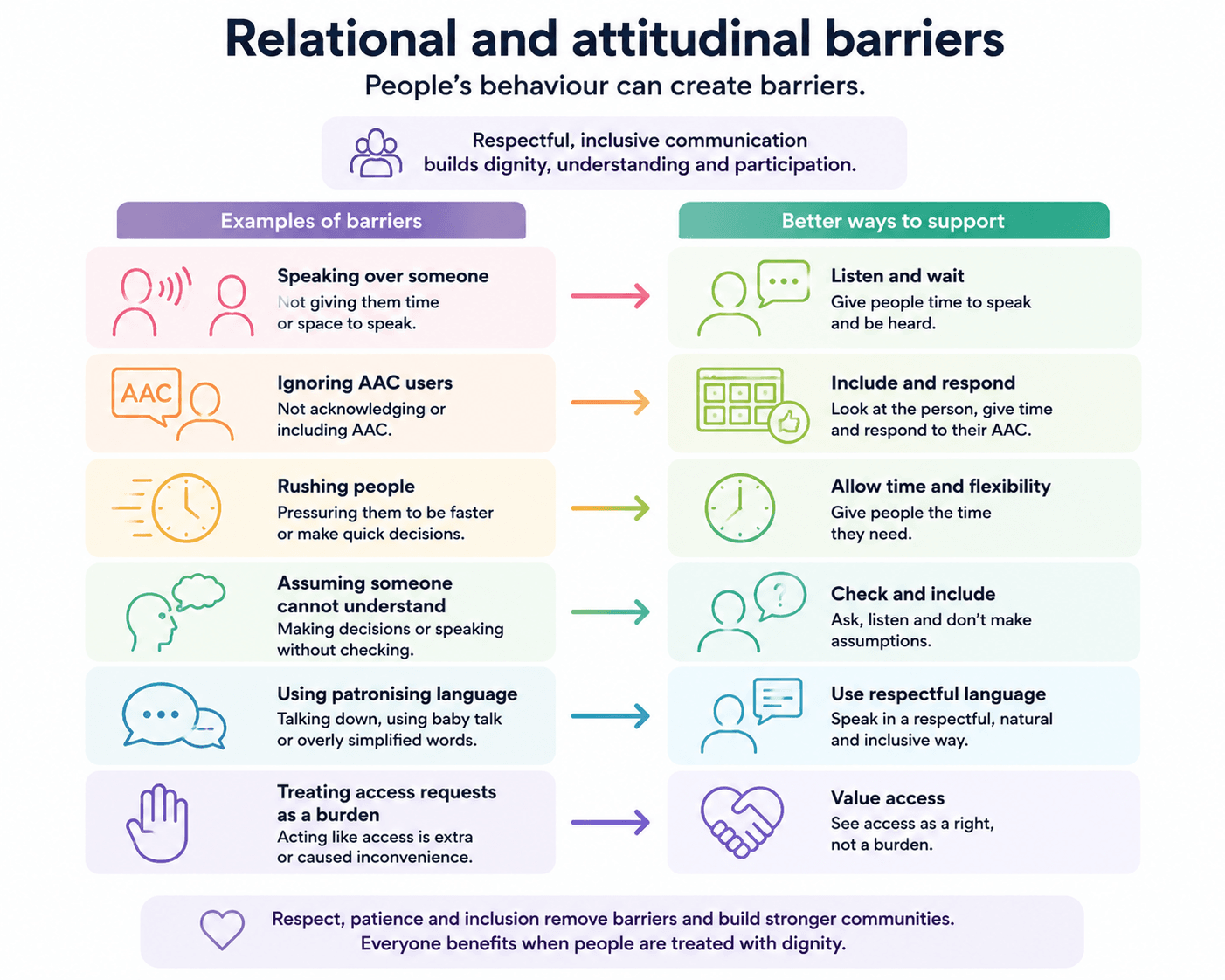
Relational and attitudinal barriers

People’s behaviour can create barriers.

Examples include speaking over someone, ignoring AAC users, rushing people, assuming someone cannot understand, using patronising language, or treating access requests as a burden.

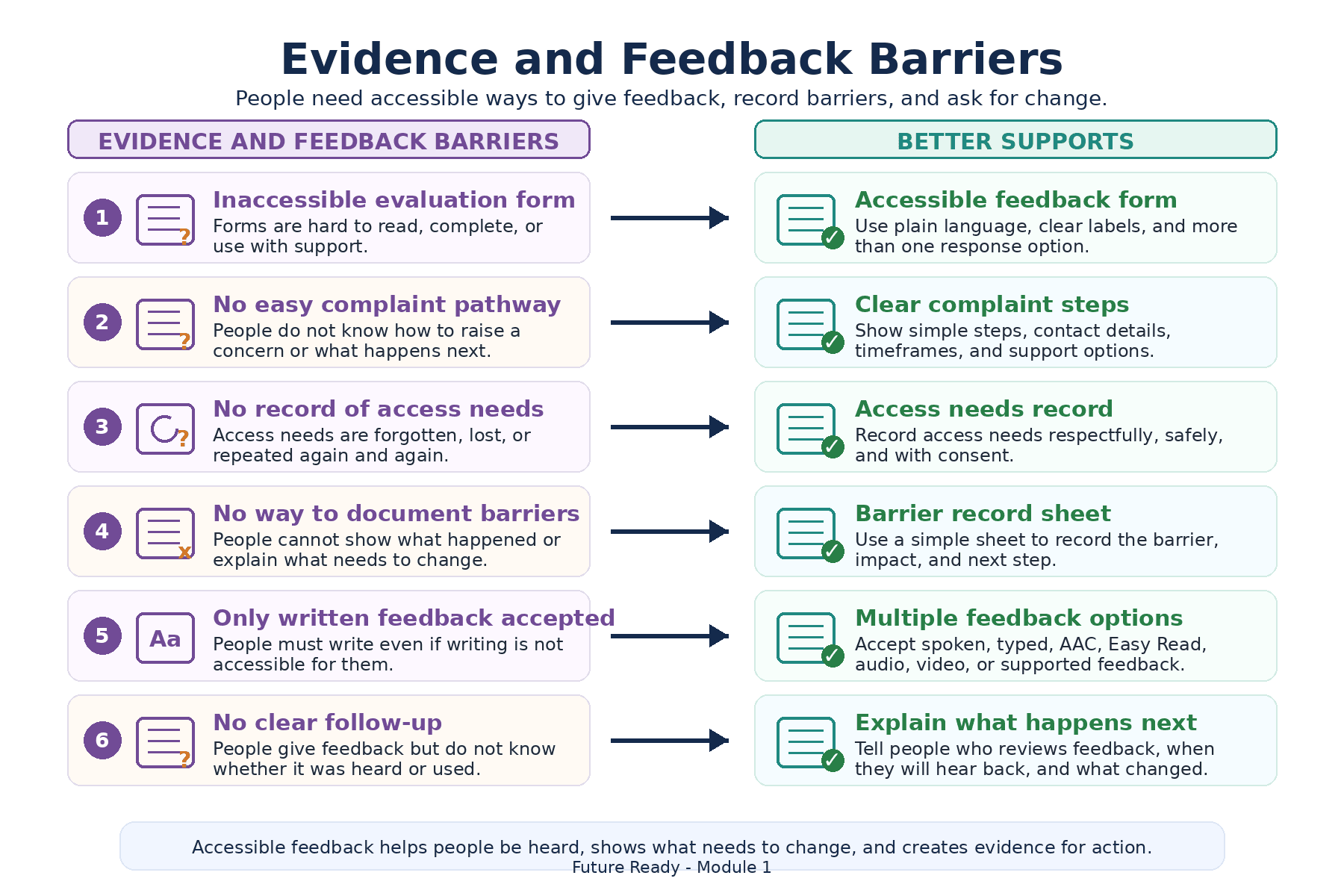
Evidence and feedback barriers

Sometimes people cannot show what happened or explain what they need because the system does not collect feedback accessibly.

Examples include inaccessible evaluation forms, no easy complaint pathway, no record of access needs, or no way to document barriers.

From rule-only thinking to rights-based thinking

A rule-only approach asks: Have we met the minimum requirement?

A rights-based approach asks: Can the person actually take part with dignity, clarity, safety and choice?

This difference matters. A rule-only approach may stop at compliance. A rights-based approach keeps looking until participation is real.

Rule-only thinking

  • “We have a policy.”
  • “The form is online.”
  • “People can contact us.”
  • “We provided information.”
  • “Support is available if requested.”

Rights-based thinking

  • “Can people use the policy?”
  • “Can people complete the form?”
  • “Is the contact pathway clear and accessible?”
  • “Did people understand what to do next?”
  • “Do people know support is available, and can they ask safely?”

Look at the system, not only the person

When someone cannot participate, it is easy for a system to ask: What is wrong with this person?

A better question is: What is the barrier, and how can the system change?

This is systems thinking. It helps us look at the information, process, environment, technology, communication style, timing, support options and power relationship between the organisation and the person.

A barrier may look small, but its impact can be large. A confusing form may stop someone from accessing a service they have a right to use.

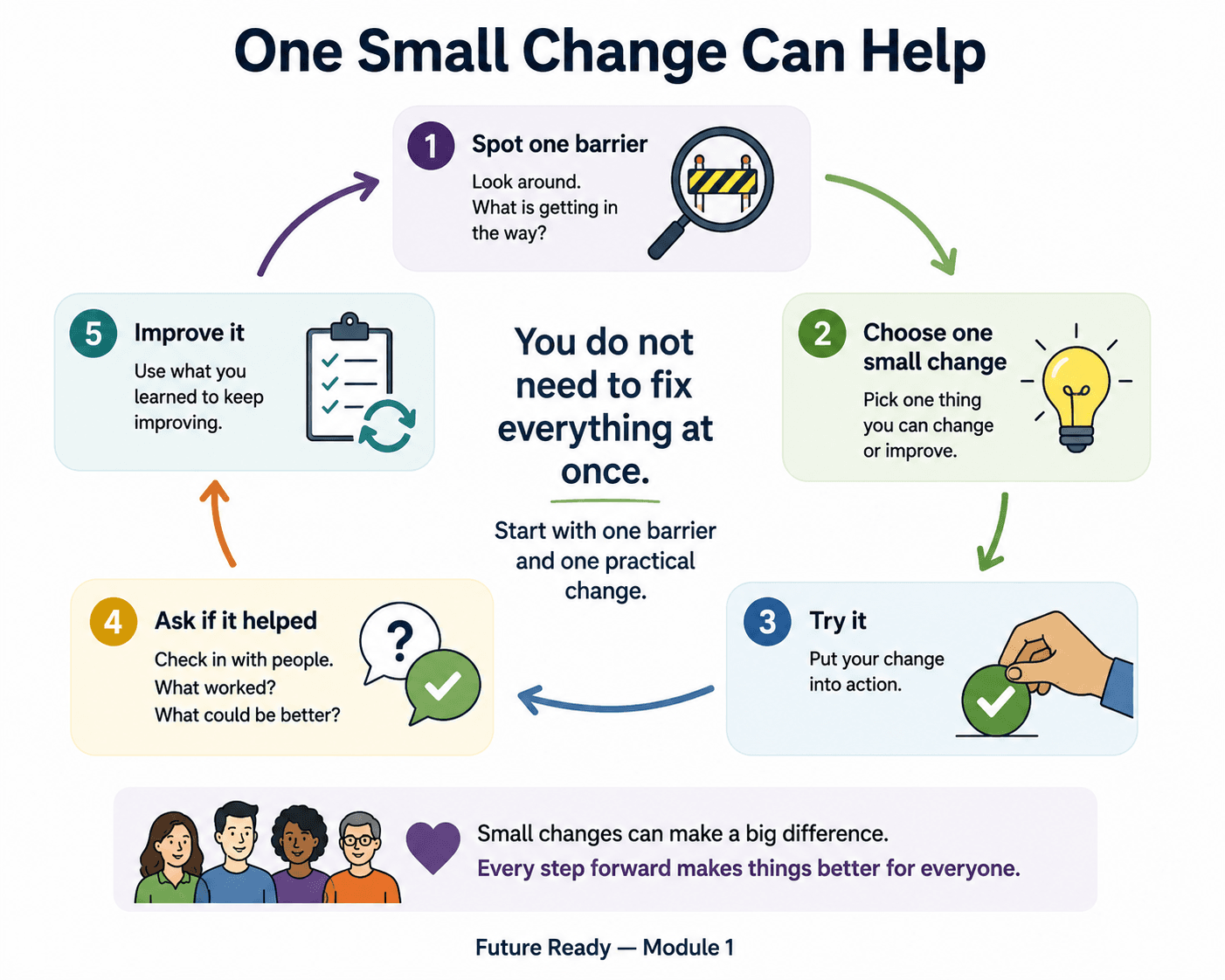
One small change can improve access

Accessibility improvement does not always start with a large redesign. It can start with one practical change.

Rewrite

Rewrite one instruction in plain language.

Show steps

Add a visual step-by-step guide.

Offer choices

Offer phone, email and text contact options.

Add media access

Add captions and transcripts to a video.

Give time

Give people more time to respond or ask questions.

The aim is not perfection. The aim is to reduce barriers and make participation more real.

Learn in different ways

People learn in different ways. You can choose the format that works best for you.

Watch

Use a video or visual explainer if you prefer spoken or visual information.

This video is hosted by an external provider. If you cannot access it, contact EduLinked and ask for the information in another format.

Email: accessibility@edulinked.com.au

Use

Use the activity to identify one participation barrier and one possible improvement.

Go to the activity

External resource note

Some resources may be hosted by external providers. If you cannot access a resource, contact EduLinked and ask for the information in another format.

Email: accessibility@edulinked.com.au

Quick check-in

  • What is one barrier that can stop someone from taking part?
  • Is this barrier caused by the person, or by the system around them?
  • How could this barrier affect dignity, safety, confidence or choice?
  • What is one small change that could reduce the barrier?
  • Who should be involved in deciding whether the change works?

Module 1 Assessment: Dignity Checklist

Complete this checklist to review whether a service, event, workplace, website, form, or communication process supports dignity, access, choice, safety, and participation.

Your details

First Name
Last Name
Email Address
Organisation (optional)

Dignity Check

Choose one service, event, workplace, website, form, or communication process to review. Read each question and select Yes, No, or Not sure.

Can people ask for support without feeling like a burden?
Is information clear and easy to understand?
Are people given enough time to respond?
Are different communication methods respected?
Can people use AAC, Auslan, captions, Easy Read, or another format?
Are people spoken to as adults and equals?
Are access options easy to find?
Can people make choices about how they take part?
Are people listened to when they say something is not working?
Is the person treated as capable, even when they need support?
Is there a clear way to give feedback or ask for a change?
Does the process avoid blaming the person for access barriers?

Reflection

What is one dignity or access issue you noticed?
What is one small change that could help?
Who should be involved in checking whether the change works?
When will you review this?

Easy Read version

Module 1: Rights, Dignity and Taking Part

This page gives the main ideas from Module 1.

A barrier is something that makes it hard for a person to take part.

Line drawing of a person looking forward with an arrow pointing upward, showing confidence, growth and next steps.

Access means taking part

Access means people can take part.

Access is not only about opening the door.

Access also means people can understand information, ask questions, use support, make choices and feel respected.

Line drawing of a person pointing to a checklist with tick marks and an alert symbol.

Rights matter

People have rights.

Rights mean people should be able to take part in services, learning, work and community life.

A right is not useful if the person cannot use the service.

Line drawing of a person thinking about the next steps, with a question mark and numbered steps one, two and three.

Dignity matters

Dignity means people are treated with respect.

  • people are listened to
  • people are not rushed
  • people can ask for help
  • people can use communication supports
  • people are not blamed for access barriers
Line drawing of a person looking forward with an arrow pointing upward, showing confidence, growth and next steps.

Barriers are not the person’s fault

Sometimes a person cannot take part because the system is hard to use.

The person is not the problem.

The barrier is the problem.

We can change barriers.

Line drawing of a person pointing to a checklist with tick marks and an alert symbol.

Barriers can happen in many ways

A barrier can happen when:

  • words are too hard
  • a form is confusing
  • a video has no captions
  • a room is too noisy
  • a person is rushed
  • there is no clear way to ask for help

You can use the EduPsyched Easy Read Visual Maker to make information easier to read.

Line drawing of a person thinking about the next steps, with a question mark and numbered steps one, two and three.

Rights-based thinking

Rights-based thinking asks:

Can the person take part with dignity, clarity, safety, support and choice?

Line drawing of one person offering help to another person, with learning icons including a light bulb, laptop, tick box and graduation cap.

You can ask for support

You can ask for this information in another format.

You can also ask for support to take part.

This Easy Read section gives the main ideas from the page.

Future Ready — Module 1 content about rights-based accessibility and participation barriers.