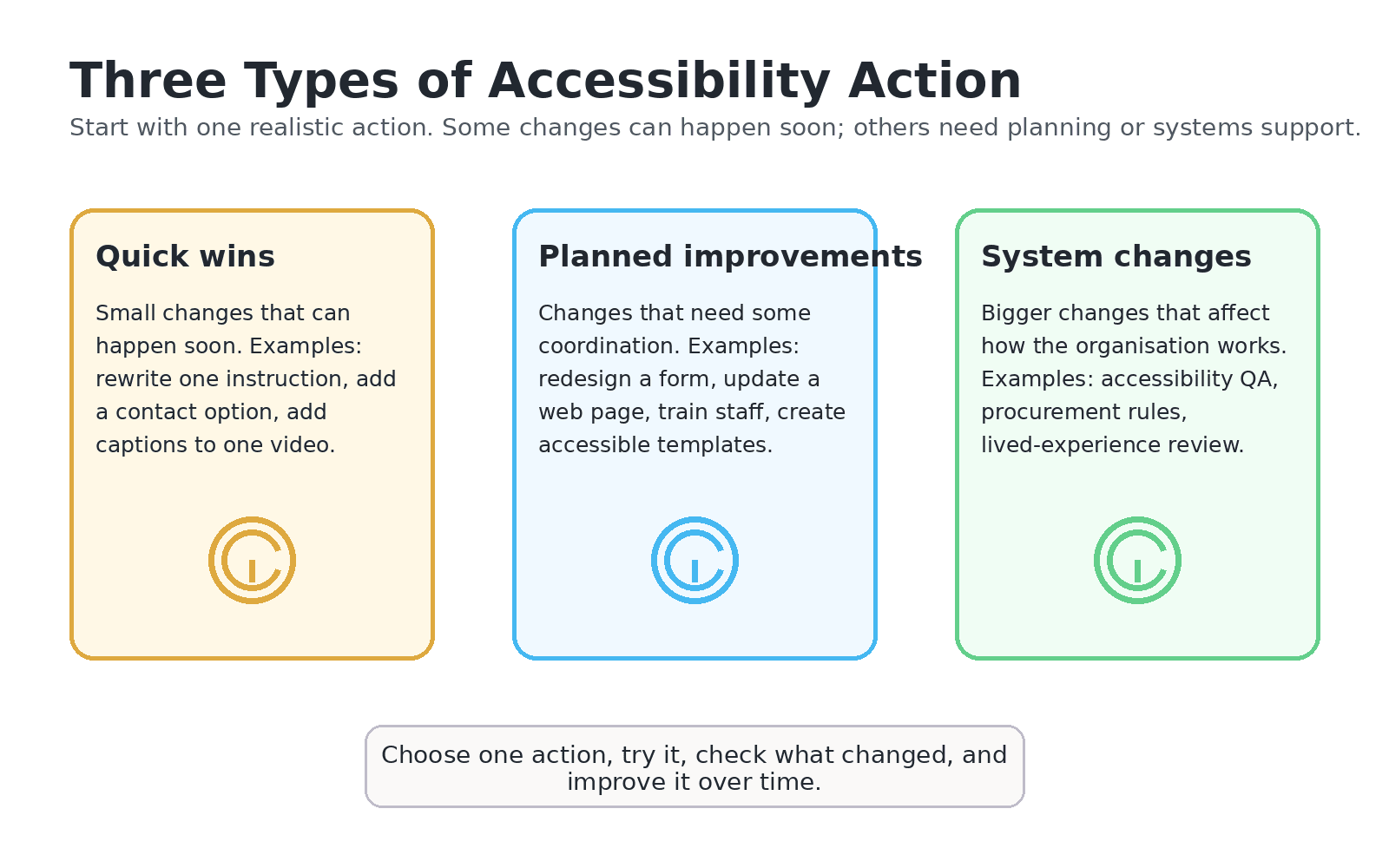
Quick wins
Small changes that can happen soon, such as rewriting an instruction, adding a contact option, adding captions to one video or adding alt text to important images.

Module 4 content
Implementation means follow-through. A good accessibility action is specific, realistic, connected to a barrier, owned by someone, supported by a timeframe and reviewed after it is tried.
Implementation means putting an accessibility idea into practice.
A practical action should name the barrier, the change, the owner, the people involved, the support needed, the timeframe, the review point and the evidence that will show whether it helped.
Small changes that can happen soon, such as rewriting an instruction, adding a contact option, adding captions to one video or adding alt text to important images.
Changes that need coordination, such as redesigning a form, updating a website page, training staff or reviewing digital files.
Bigger changes that affect how the organisation works, such as accessibility QA, procurement requirements, lived-experience review or accessibility governance.
Use urgency, effort, feasibility and participation impact to decide what should happen first.
| Question | What to consider |
|---|---|
| How urgent is it? | Does this barrier block access, safety, dignity or participation now? |
| How much effort is needed? | Can this be done quickly, or does it need budget, technical support or approval? |
| How feasible is it? | Do you have the people, time, authority and information to start? |
| What impact could it have? | Would this change make participation clearer, safer, easier or more respectful? |
Be clear about the access issue you want to reduce.
Start with one practical change.
Look for feedback, evidence and lived experience.
Improve the action if it did not fully work.
Keep a simple implementation log.
Some actions need privacy review, consent, technical help, budget, staff training, leadership approval or lived-experience review.
This does not mean the action is too hard. It means the plan should name the support needed.
Use these external and internal resources if you want to explore implementation and inclusive design further.
A guide to planning, managing and maintaining accessibility across an organisation.
Open resourceAn Australian resource for inclusive design and designing with people, not just for them.
Open resourceA design resource that explains how inclusive design starts with human diversity.
Open resourceThese resources are hosted by external providers. If you cannot access them, contact EduLinked for the information in another format: founder@edulinked.com.au.
This page explains how to turn an accessibility idea into action.
Implementation means putting a plan into action.
Implementation means putting a plan into action.
It means doing something, not only talking about it.
A quick win is a small change.
A planned improvement needs coordination.
A system change affects how the organisation works.
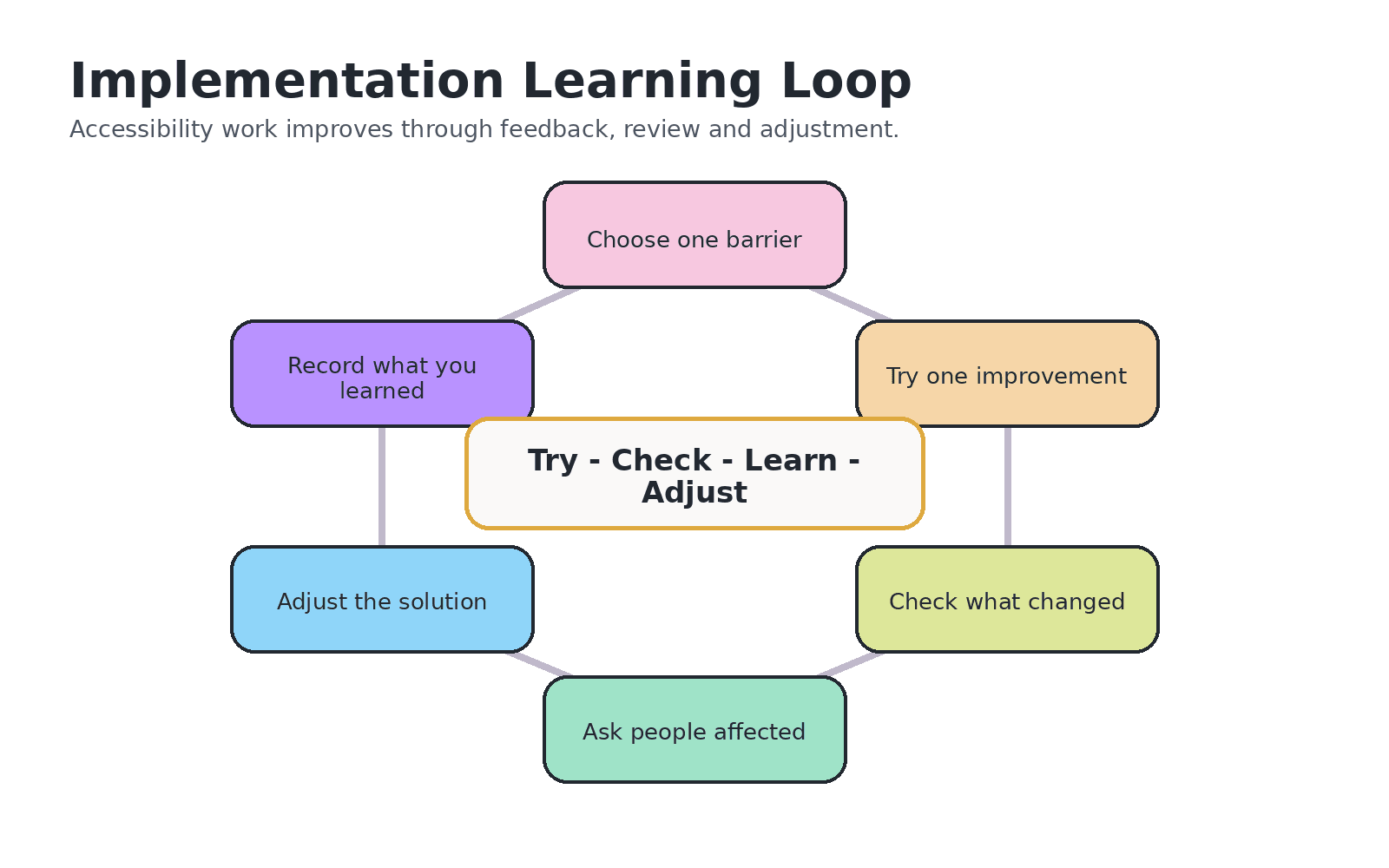
Try one change.
Check if it helped.
Learn what needs to change next.
You can ask for this information in another format.
Email: