What you will review
A website, online form, file, message, video, app screen or digital service pathway.

Future Ready · Module 3
Digital tools are part of everyday services, learning, work and community life. This module helps you check one website, form, file, message or online process and choose one practical improvement.
A website, online form, file, message, video, app screen or digital service pathway.
Reading, navigation, form, media, file-format, mobile, cognitive-load or support/contact barriers.
One digital touchpoint review and one realistic improvement that could make participation easier.
Digital access means people can find information, understand information, complete a task, ask for help, use assistive technology and choose another format when needed.
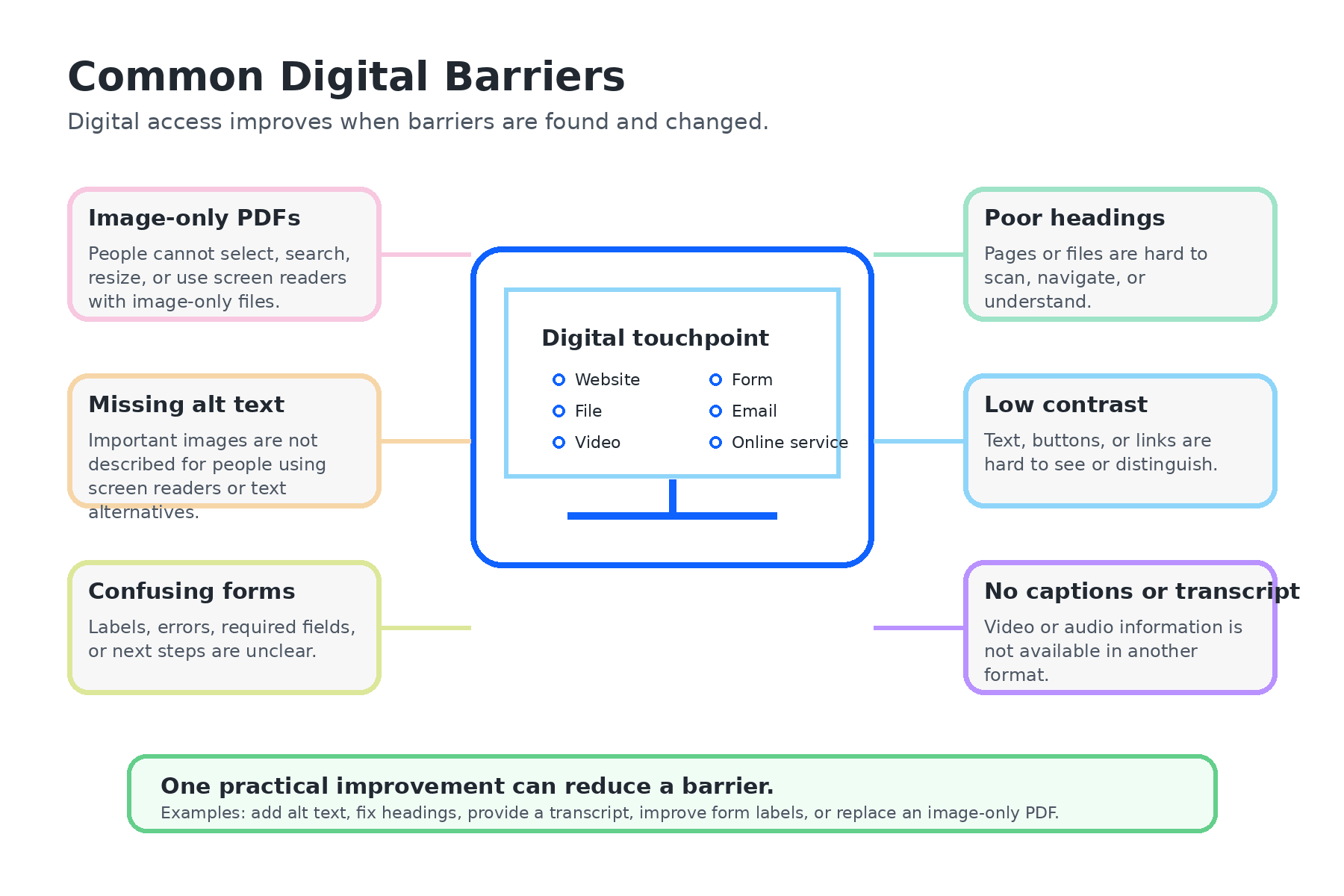
Digital access is not only technical compliance. It also includes clear headings, predictable navigation, plain language, reduced steps, captions, transcripts, readable files and clear error messages.
Text may be too small, dense, complex or poorly spaced.
People may not be able to find what they need or move through a page in a predictable way.
Forms may be too long, confusing, poorly labelled or hard to complete with assistive technology.
PDFs, Word documents, slides or images may not have headings, reading order, alt text or accessible structure.
Videos or audio may not have captions, transcripts or accessible summaries.
There may be too many steps, unclear instructions, time pressure or too much information at once.
Choose the format that works best for you.
Short videos showing how digital accessibility affects everyday tasks.
A recognised guide to web accessibility concepts and why they matter.
A practical guide for writing image descriptions and alt text.
External resources are hosted by external providers. If you cannot access them, contact EduLinked for the information in another format: founder@edulinked.com.au.
Easy Read version
Digital tools can help people.
Digital tools can also make things hard.
A website, form, file or video can be hard if the words are unclear, the steps are confusing, the text is too small, there are no captions, images have no description, or there is no way to ask for help.
You do not need to fix everything at once. Start with one thing.